WSPR JOURNAL
How to Take HDR Real Estate Video (Without Blown-Out Windows)
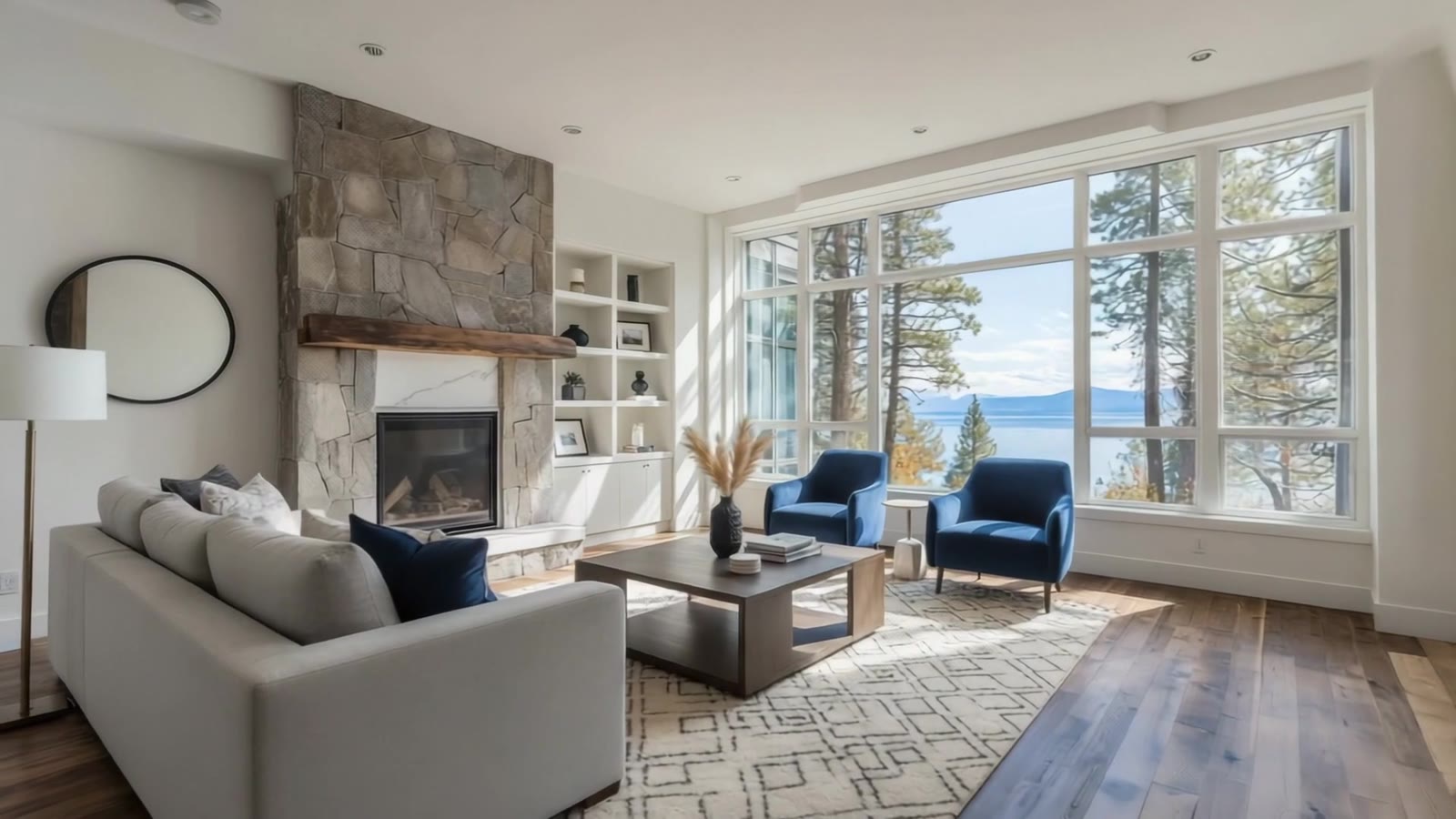
The easiest way to get HDR real estate video is to build it from the HDR photos you already shot. A video camera records one exposure per frame, so a room with bright windows forces a choice: expose for the room and lose the view, or expose for the view and lose the room. Your bracketed, blended photos already solved that. A film made from them keeps the window views, the color and the look your agent already approved.
Here’s why video struggles with windows, how videographers work around it, and how to shoot your photos so they make a better film.
Why windows blow out in real estate video
When you shoot HDR stills, you bracket: several exposures of the same frame, darker for the windows and brighter for the shadows. Then you blend them, with an HDR merge, flash or a hand-pulled window, until the room and the view both hold.
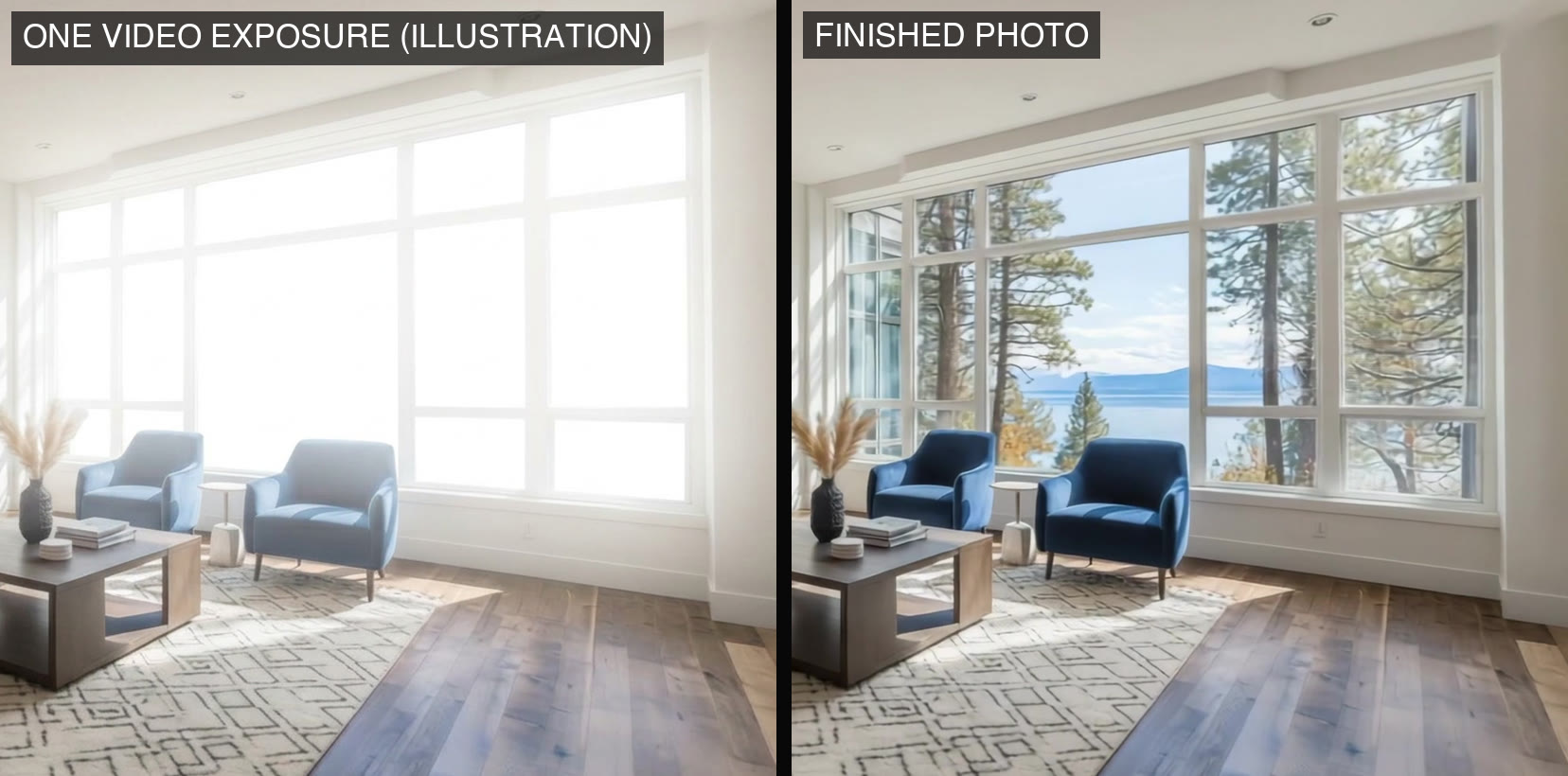
Video doesn’t get that second chance. Each frame is a single exposure, a fraction of a second long. Expose for the room and the windows clip to white. Expose for the windows and the room falls into shadow. Log profiles and the HDR video modes on some cameras widen the range, but on a sunny day the view outside can still be far brighter than one exposure can hold.
How videographers work around it
Experienced real estate videographers have a few options. None of them is quick:
- Shoot at the right time of day. Near dawn or dusk, the light inside and outside gets closer, so one exposure holds more of both. That means scheduling the shoot around the sun.
- Light the room. Adding light inside narrows the gap with the windows, at the cost of more gear, more setup and more time on site.
- Shoot every move twice. Some videographers repeat each move on a motorized slider, once exposed for the room and once for the windows, then blend the two in post. It works, and it multiplies the time on site and at the computer.
- Accept the clipped windows. Many walkthrough videos do. But the photos on the same listing show the view, so the video looks like a step down from your own work.
Build the video from your HDR photos instead
Your finished photos are already the best exposure of every room. The windows hold, the color is corrected, the verticals are straight, and the agent has already approved them. A video made from those photos starts where your editing ended.
That’s how WSPR works. You upload the listing photos you already shot. An editor plans the camera moves, pacing, transitions and music, using your photos as the reference so the home stays recognizable. AI is one of the editors’ tools; the creative decisions and the final review stay with people. You get a 4K film in under 24 hours, horizontal for the MLS or vertical for Reels. Here’s how that compares with one-click AI video.
Think of your HDR photos as the best ingredient in the kitchen. A good restaurant doesn’t bury great ingredients under a cheap sauce, and a good listing video shouldn’t bury your photography under blown windows and smeared motion. The film should look like your work, because your name is on it.
How to shoot HDR photos that make a better video
You don’t need to change how you shoot. A few habits give the editor more to work with:
- Leave a little room around the subject. Camera moves push in and pan across the frame, so a slightly wider composition gives each move somewhere to go.
- Shoot the views you want in the film. If the view sells the house, frame an angle that shows it. The film can only show what the photos show.
- Keep the color consistent from room to room. Small white balance shifts are easy to miss in a gallery and obvious when rooms cut together in motion.
- Go easy on heavy tone mapping. Halos and crunchy HDR look worse when the frame moves. A natural blend holds up better.
- Shoot 9:16 if you want vertical. Photos shot vertically use the standard vertical price. Landscape photos can still become a vertical film with True Vertical, which extends each photo above and below for $2 a photo.
- Add a short drone clip if you have one. A clip of 10 seconds or less can replace one package photo at no extra cost.
What it costs
A 30-second film from up to 10 photos is $67, a 60-second film from up to 20 photos is $103, and a 90-second film from up to 30 photos is $183. Partners save 25% on packages. Two longtime WSPR customers advertise these films to agents at $125 to $250, and our pricing guide walks through the math.
Frequently asked questions
Can you shoot HDR video for real estate?
Yes, with limits. Some cameras offer HDR video modes and log profiles that widen the range, and shooting near dusk helps. But a bright window is often brighter than one exposure can hold. Building the film from bracketed, blended photos is the most reliable way to keep the view.
Why do the windows look white in my real estate videos?
Each video frame is a single exposure. When the camera exposes for the room, anything much brighter, like a sunny window, clips to white. HDR photos avoid this by blending several exposures of the same frame.
Will a video made from photos look like a slideshow?
Not when an editor directs it. Every camera move, cut and music cue is shaped by a person, so the film moves through the home instead of flipping through pictures. Watch a sample film.
Do flash or flambient photos work too?
Yes. Any finished photo set works. The film uses your edit as it is, so it matches the photos on the listing.
How long does it take?
Under 24 hours. Every film is delivered in 4K, and revisions are unlimited.